

Our Family Tried the Skylight Calendar – Here’s What We Loved & Didn’t
If you’ve ever felt like you need a full-time personal assistant just to keep your family’s schedule straight, same here.
Between school pick-ups, ballet practice, dentist appointments, work meetings, and remembering which kid is having “dress like a cowboy” day on Tuesday, it’s a lot.

As an Amazon Associate, I earn from qualifying purchases. Full Disclosure | All opinions are authentic and my own. This post is not sponsored by Skylight.
Last year, in the middle of my usual scheduling chaos, I hit the “I need a system” breaking point and decided to buy the Skylight Calendar Max. It’s a big 27-inch digital calendar you hang on the wall that promises to keep all your calendars, chores, and meal plans in one place.
It took us a while to finally install it on our kitchen wall (because well… life happens). But after the past 2 months of using it daily, I’m ready to give you a brutally honest Skylight Calendar review—and yes, I’ll spill on whether it’s actually worth the splurge.
Plus, I rounded up some great Skylight Calendar alternatives that are cheaper but still super functional if you’re on a budget.
Our Experience with the Skylight Calendar Max
First of all: this thing is HUGE. That’s a good thing.
We hung ours in the kitchen, the place where everyone in the family passes by about a hundred times a day, and suddenly, we all know what’s going on in each other’s lives.

Related: How We Turned a Digital Command Center Into an Art Gallery Wall
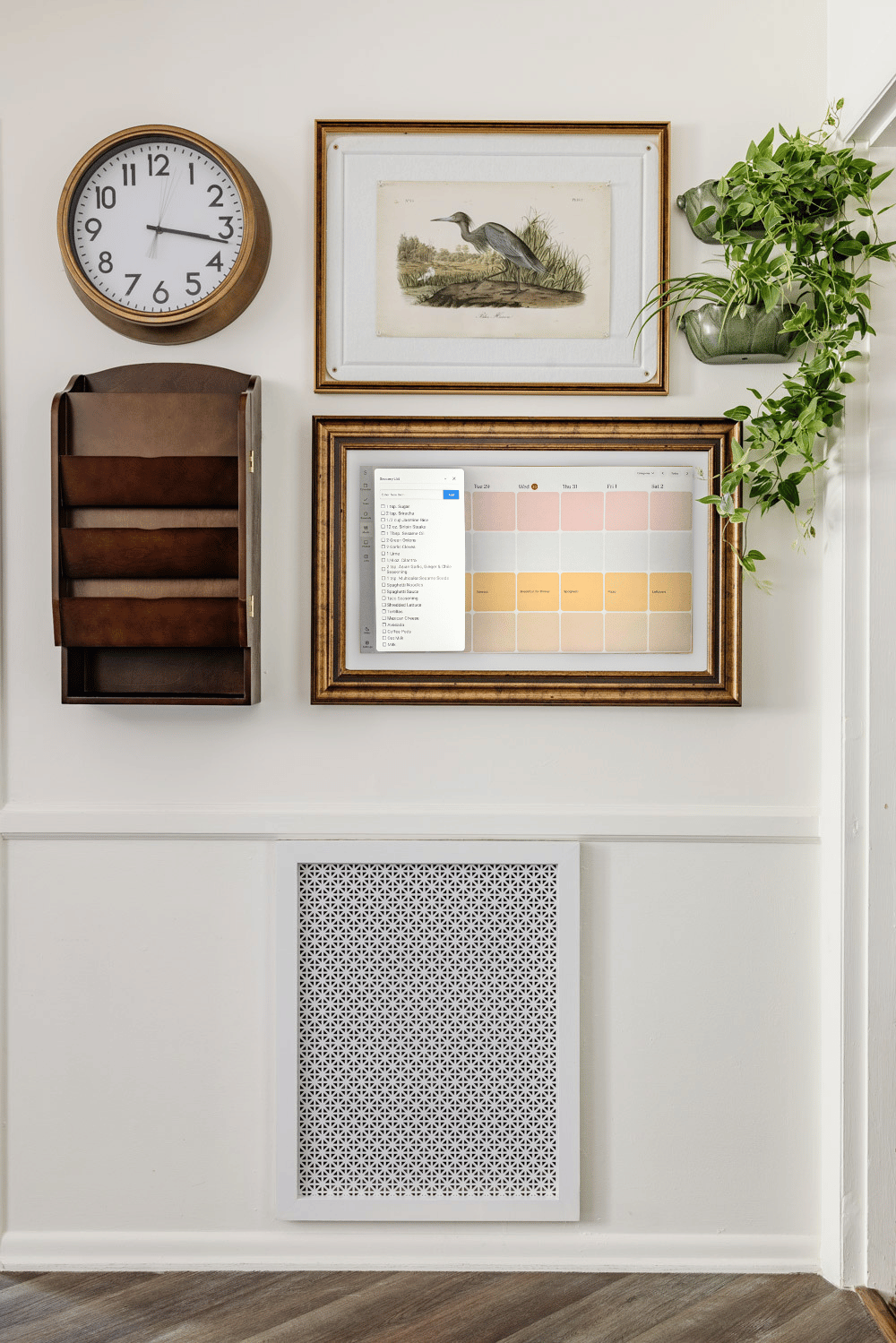
It’s been a game-changer for preventing “Wait… you didn’t tell me about that?” moments. But I also love that I can upload a photo (in this case, art files I found in public domain archives) to make it look like art in a gallery on our kitchen wall.
It syncs up with Google Calendar (you can add other calendars too, but Google is the most useful to me).
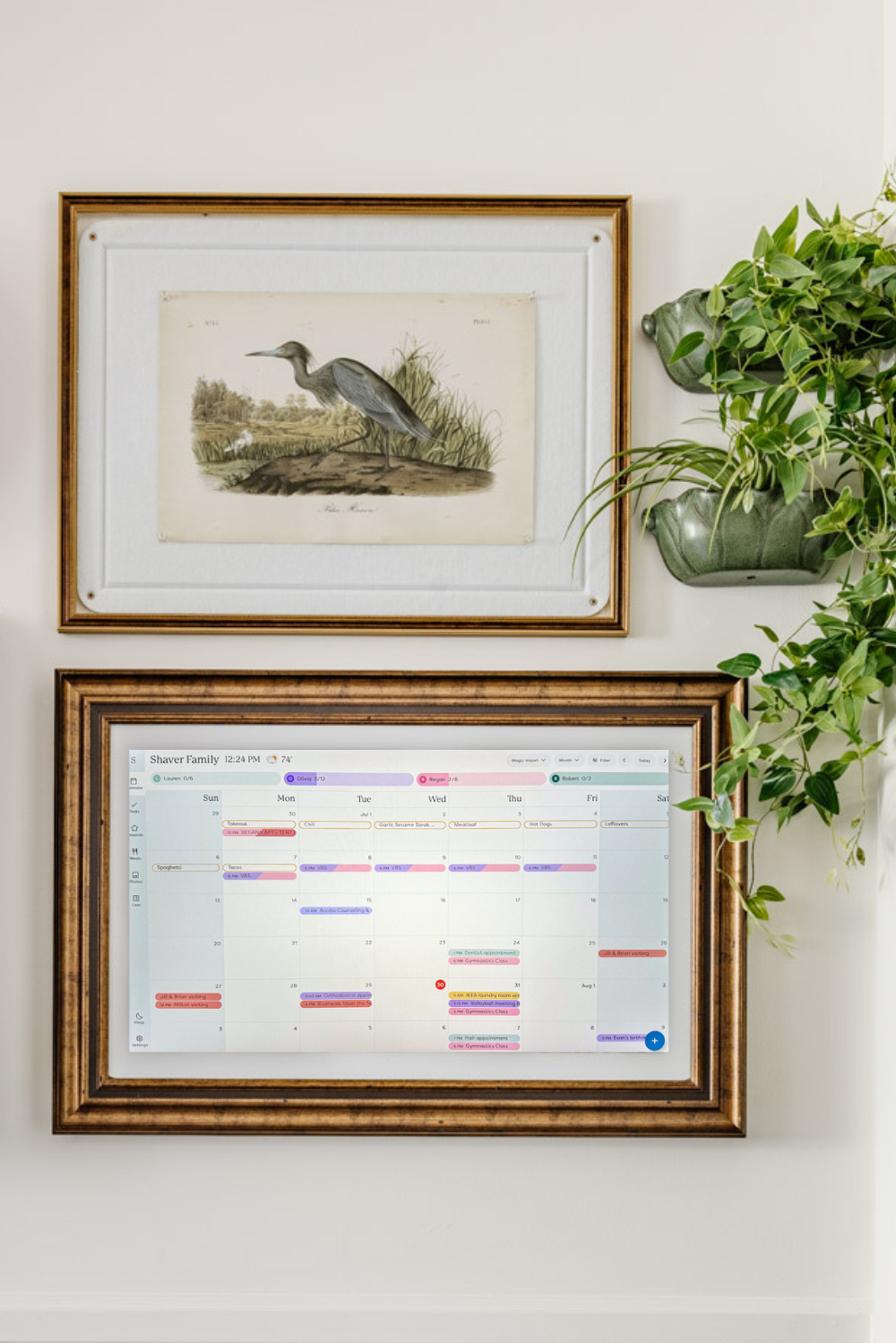
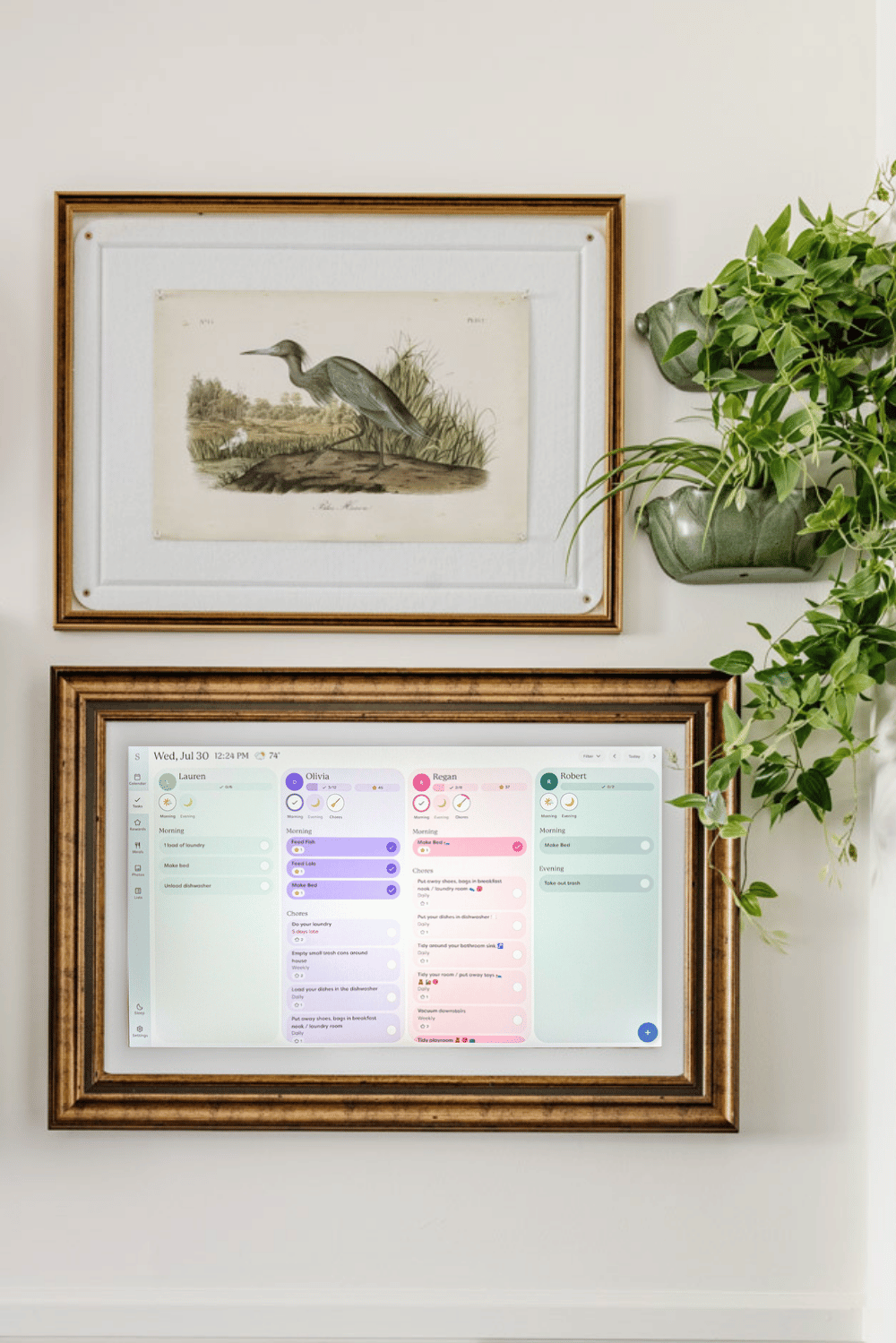
You can assign chores, plan meals, add to-do lists, and even forward emails or PDFs directly to it so it can turn them into calendar events without meticulously typing them in yourself.
I’ve sent gymnastics class schedules, school newsletters, and even a random dentist reminder email straight to it.
Along with our no-mudroom entryway storage solution using an armoire, this has been the best addition to our back-to-school organization.
Here’s the part you need to know
- The Skylight Calendar Max costs $629.99 without the Plus Plan. Ouch. (I bought ours all the way back during a Black Friday sale, but it was still steep.)
- To use its best features (like meal planning, photo screensavers, and more in-depth customization), you’ll also need their Plus Plan subscription at $79 a year. Double ouch.
I knew it was an investment going into it, but I still think the subscription stings a bit.
Just a heads up: The Skylight Calendar without the Plus Plan on Amazon is cheaper than it is on Skylight’s main site. But if you want the subscription, it’s cheaper to go directly to the Skylight Calendar with Plus Plan on their main site. You can sometimes find better deals on it at Costco and Sam’s Club. I don’t get commission, but I’d rather you be able to pay less.
There are also smaller, less expensive Skylight Calendar versions in 15″ and 10″.
What We Love
- The display is gorgeous and impossible to ignore. It’s so big and bright, my kids can’t use the excuse “I didn’t know I had practice.”
- The interface is super easy. My husband, who is not the techy one in the family, quickly learned his way around it.
- Magic Import saves me so much time. Forwarding an email to the calendar and having it magically turn into an event? Genius.
- The smart features. My kids actually enjoy doing their chores because they get to check off a task like “make your bed” and watch the stars dance across the screen. Once they’ve earned all of their stars for the week on the Skylight Calendar, they get their allowance.
What We Don’t Love
- The price. I wish I didn’t have to say it, but the Skylight Calendar Max is pricey. And having to tack on a subscription for the “good” features makes it feel even more expensive.
- Limited syncing options. Right now, Google Calendar is the only one with full two-way syncing. If you use Outlook, Apple, Cozi, or Yahoo, it’s still do-able, but it’s a little clunky.
- It’s basically useless without Wi-Fi. If your internet goes down, so does your calendar functionality.
- There is no desktop app. I hate having to type things into an app on my mobile phone’s small screen, so I prefer to work on my larger laptop screen when possible. Unfortunately, Skylight only has a mobile app version available to schedule things remotely. UPDATE: 2/9/2026 There is now a Skylight desktop version! Yay! So this is no longer a “con”.
Skylight Calendar Features Broken Down
Here’s everything you need to know about the Skylight Calendar along with a breakdown of what features are free and what features are only accessible through the paid subscription.
Free Features
- Color‑coded calendars for each family member, making schedule overlap easy to spot
- Interactive chore chart & routines/tasks tracker to help kids stay on top of responsibilities
- Custom lists feature for writing out to‑dos, grocery lists, and more
- Multiple calendar views: day, week, month, and schedule formats
- Weather forecasts tied to event locations and times
- Sleep mode to automatically turn the display off at night and wake up in the morning
- Mobile app access, so any family member can manage the calendar remotely
- Parental controls, including a PIN‑protected lock to prevent unauthorized edits
- Device linking & shared access—connect multiple Skylight devices in your home or with extended family (in case you need to loop in grandparents or a co-parent about your kids’ schedule)
Paid Plus Plan Premium Subscription Features
- Sidekick AI + Magic Import — forward emails, PDFs, images or flyers and it auto‑converts them into calendar events, meal plans, to‑do’s & reminders
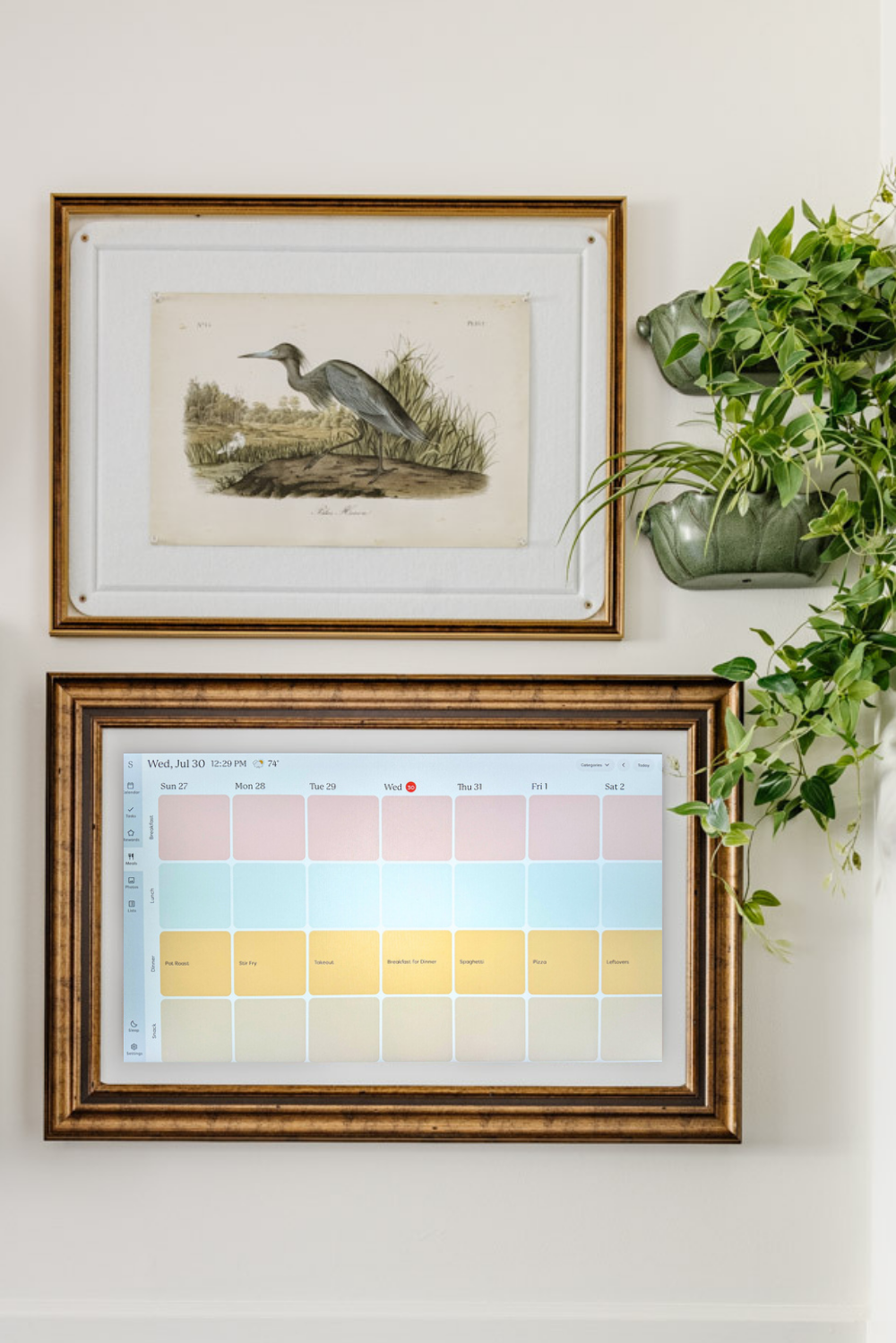
- Meal planning & recipes tool, with AI‑generated menus, ingredient lists, and grocery export
- Rewards system — earn reward stars for chores, motivating kids to participate (my favorite feature I use with our kids because now I don’t have to nag as much to do their chores)
- Photo screensaver mode — display your favorite photos or family slideshows when calendar isn’t in active view (if you want to display art in a gallery wall setup like ours, this is the feature to use).

Skylight Calendar Alternatives
How the Skylight Compares to Other Digital Wall Calendars
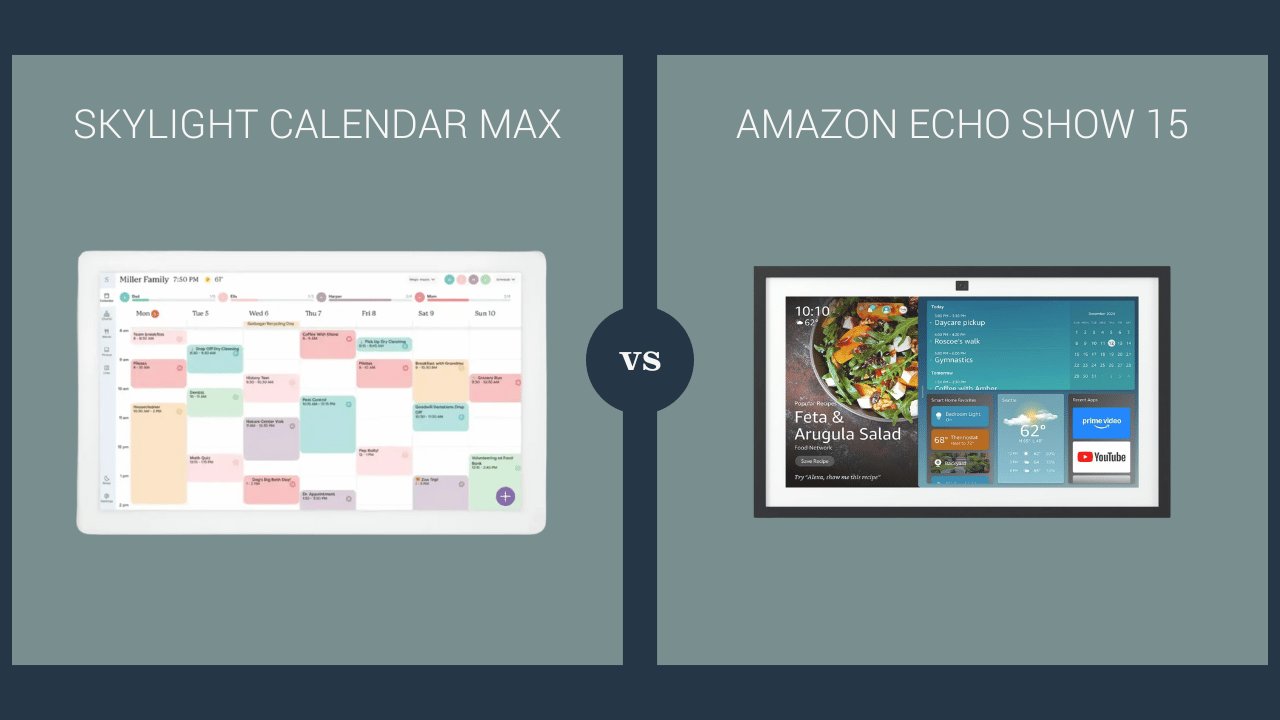
Skylight Calendar Max vs. Amazon Echo Show 15
- Size: Skylight = 27″, Amazon Echo Show = 15.6″
- Focus: Skylight = dedicated family calendar (no distractions). Echo = multipurpose (Alexa, streaming, smart home integration).
- Features: Skylight = AI Magic Import, color‑coded calendars. Echo = basic calendar widgets, reminders, video calls
- Integrations: Skylight = best with Google Calendar (two‑way). Echo = works with Google, Apple, Microsoft calendars.
- Cost: Skylight = $599.99 + $79/yr subscription. Echo = $249.99, no subscription. (However, the comparable size Skylight 15″ Calendar is $279.99 + $79/yr subscription)
- Best for:
- Skylight: Busy families who want a large, distraction‑free family command center.
- Echo Show 15: Households already using Alexa who want a cheaper, versatile device.
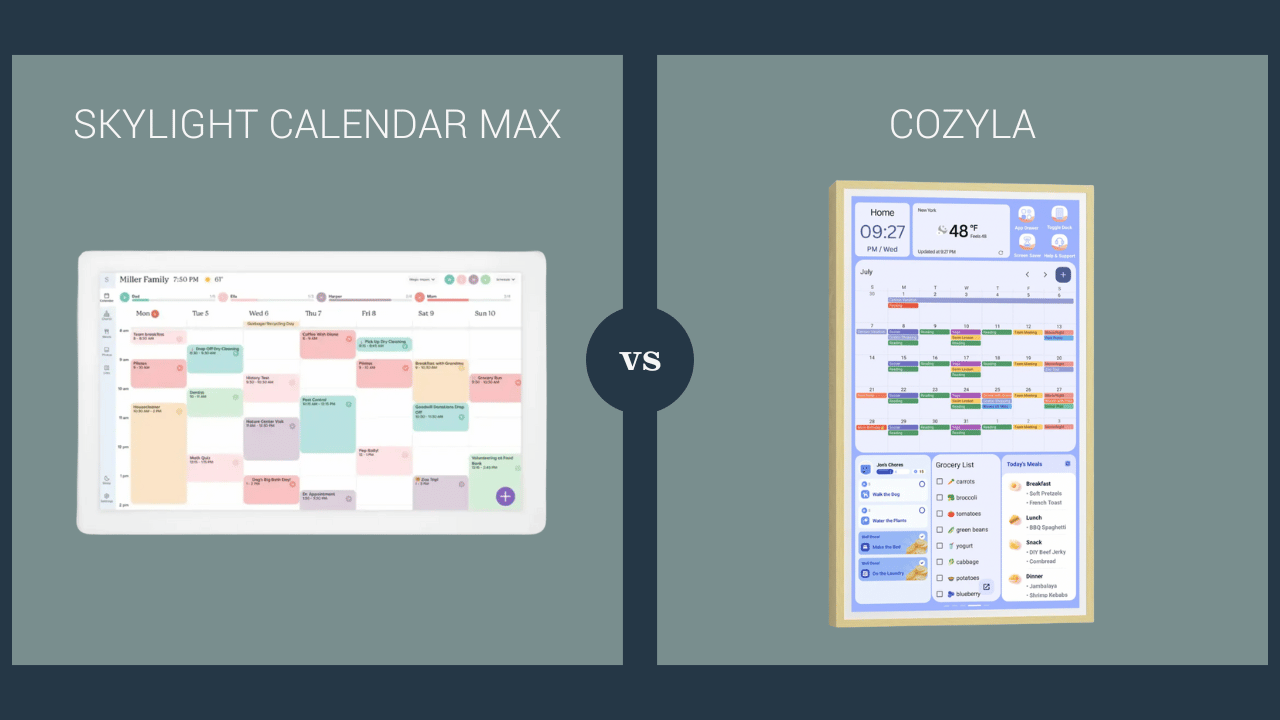
Skylight Calendar Max vs. Cozyla
- Size: Skylight = 27″, Cozyla = 24″
- Focus: Skylight = dedicated family calendar with different types of organization categories on different screens; Cozyla = family organizer with multiple types of organization categories at a glance on the same screen
- Features: Skylight = AI Magic Import; Cozyla – video calling capability
- Integrations: Skylight = best with Google Calendar (two‑way sync); Cozyla = Google, Apple, Outlook (two-way sync)
- Cost: Skylight = $599.99 + $79/yr; Cozyla = $699.99 (no required subscription)
- Best for: Skylight = large, all-in-one family command center; Cozyla = family calendar + multimedia display
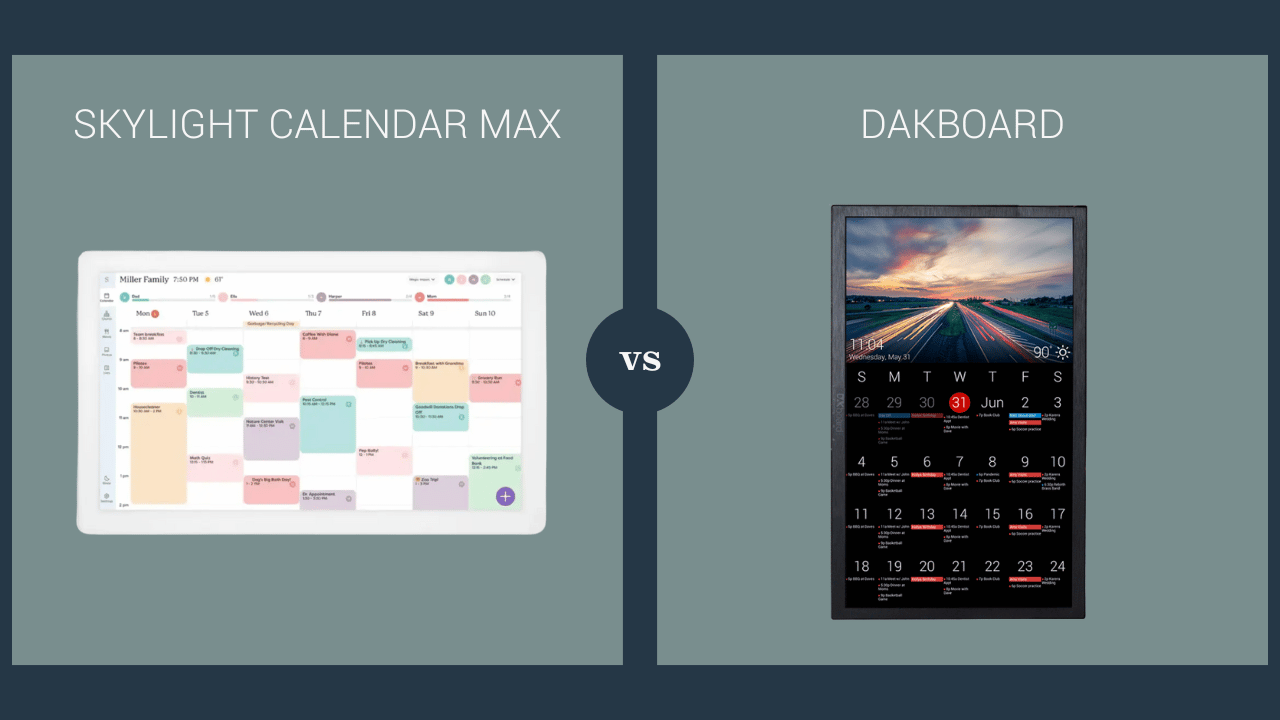
Skylight Calendar Max vs. DAKboard
- Size: Skylight = 27″, DAKboard = customizable (varies from 15.6″ to 32″)
- Focus: Skylight = dedicated family-oriented organizer; DAKboard = fully customizable display for calendars, photos, news, and weather
- Features: Skylight = AI Magic Import, chore reward system, out-of-box organizer; DAKboard = widgets for calendars, news, photos, and smart home (but more setup is required)
- Integrations: Skylight = Google Calendar (two‑way) + others (one‑way); DAKboard = Google, Apple, Microsoft, iCal
- Cost: Skylight = $599.99 + $79/yr; DAKboard = $499–$649 (optional $5/mo premium subscription)
- Best for: Skylight = ready-to-use family organizer; DAKboard = tech-savvy users who want total customization
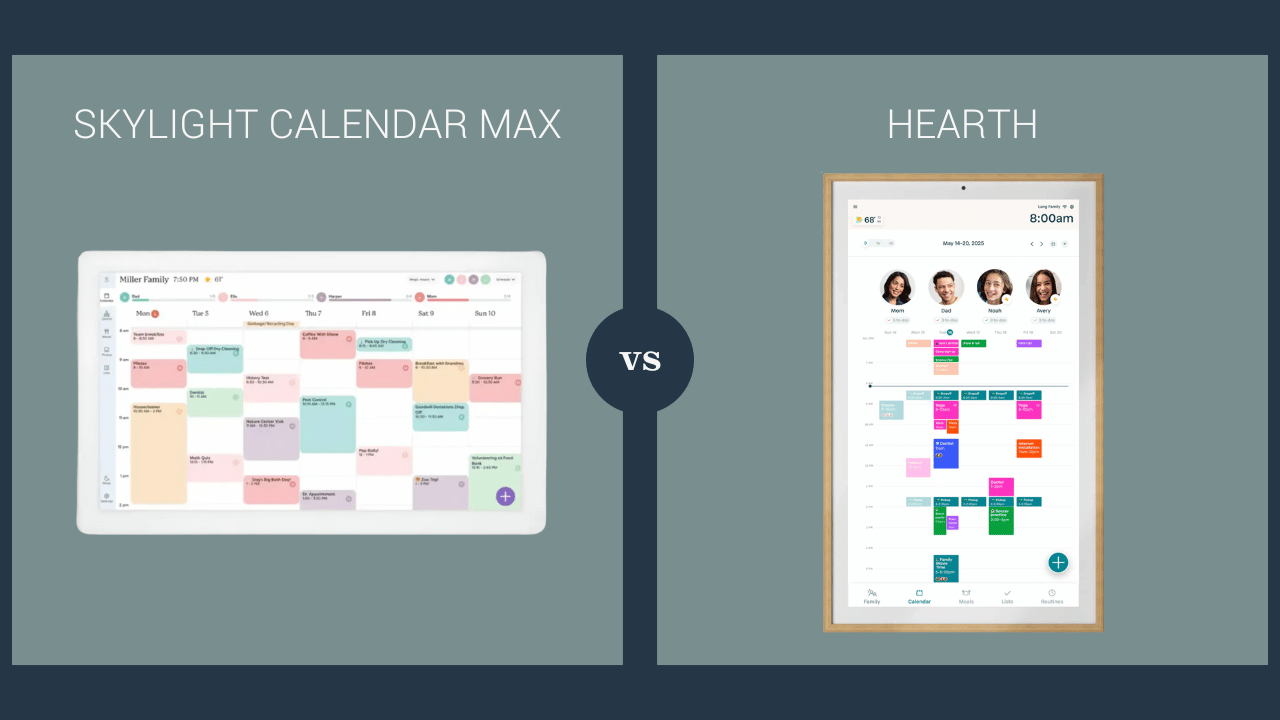
Skylight Calendar Max vs. Hearth Display
- Size: Skylight = 27″, Hearth = 27″
- Focus: Both = dedicated family calendar and organizer
- Features: Skylight = Magic Import; Hearth = attractive wooden frame included, kid-friendly icons (great for young kids who aren’t reading-level yet)
- Integrations: Skylight = Google Calendar (two‑way) + others (one‑way); Hearth = Google and Outlook (two-way) + others (one-way)
- Cost: Skylight = $599.99 + $79/yr; Hearth = $699 + optional $86.40/yr subscription for premium features
- Best for: Skylight = best for email/PDF importing; Hearth = family organization with younger kid routines focus
Digital Wall Display Alternatives
If you’re side-eyeing the price tags of digital wall calendars, I get it. Here are a few alternative organizers for less:
1. Mango Display
Mango Display is basically software that turns any existing screen (like an old iPad or monitor) into a family calendar display. Plans start at $5 a month or $60 a year, which is way more budget-friendly.
2. Cozi Family Organizer (App)
Cozi is free (or $29.99/year for premium) and is purely app-based. Everyone in the family can access the shared calendar, to-do lists, and meal plans from their phones. No big screen display, but it’s great on the go.
3. OurCal (App)
Another solid app option. It’s totally free and focuses on shared family calendars and messaging. No hardware required, and it’s simple enough that grandparents can use it too.
Final Thoughts
Out of all the options, Skylight Calendar Max is still the one I’d choose. It has genuinely helped our family feel more organized and less chaotic. The giant display means everyone stays in the loop, and I love how simple it is to use.
But I’ll be real: the price and subscription do give me pause. If you’re not ready to spend that much, one of the Skylight Calendar alternatives above might be a better fit.
At the end of the day, the best digital calendar is the one your family will actually use. As for our fam, we are so happy with it!
More “Brutally Honest” Product Reviews
- Our Walmart Patio Furniture Review & How It’s Held Up Over the Years
- Our Pottery Barn Sofa Review: What You Should Know Before Buying
- Our Ruggable Rugs & When We Would (and Wouldn’t) Recommend Them
- How We Really Feel About the Bartesian Cocktail Maker





This was very helpful. I love how you customized it to fit your aesthetic.
Thank you!
I love the frame around the skylight. How did you do that?
It was super easy! Just Command strips. Here’s a video I shared about it: https://www.instagram.com/p/DMyVSy6ukfH/
My oldest is leaving for college soon and we have always used a big whiteboard for keeping track of things due. However, remembering to write things down between leaving class and going back to his dorm will be a challenge. If he could make a note on phone or laptop from class that syncs back to the bigger view in his room would be helpful. Which of these calendars would be accommodate that do you think?
Oh that’s a great idea! They have a much smaller 15″ version that can be used on a desk or tabletop: https://amzn.to/4nJodZz It would be easier to move back and forth out of a dorm every year too.
Did you purchase the classic version or the one with the shadow box? One is aluminum and one is plastic.
I purchased the one with the shadow box.
I have the Hearth calendar. (Not a big fan.) Just curious. Knowing what you know now, would you still buy the Skylight calendar again/recommend it? I’m considering switching. Thanks!
Yes! We’d totally buy the Skylight calendar again. I haven’t used the Hearth calendar myself. I just compared all of them as much as possible to make my decision on the Skylight. I just wish there was a desktop app and a cheaper (or no) subscription for it. But other than that, we’ve been very happy.